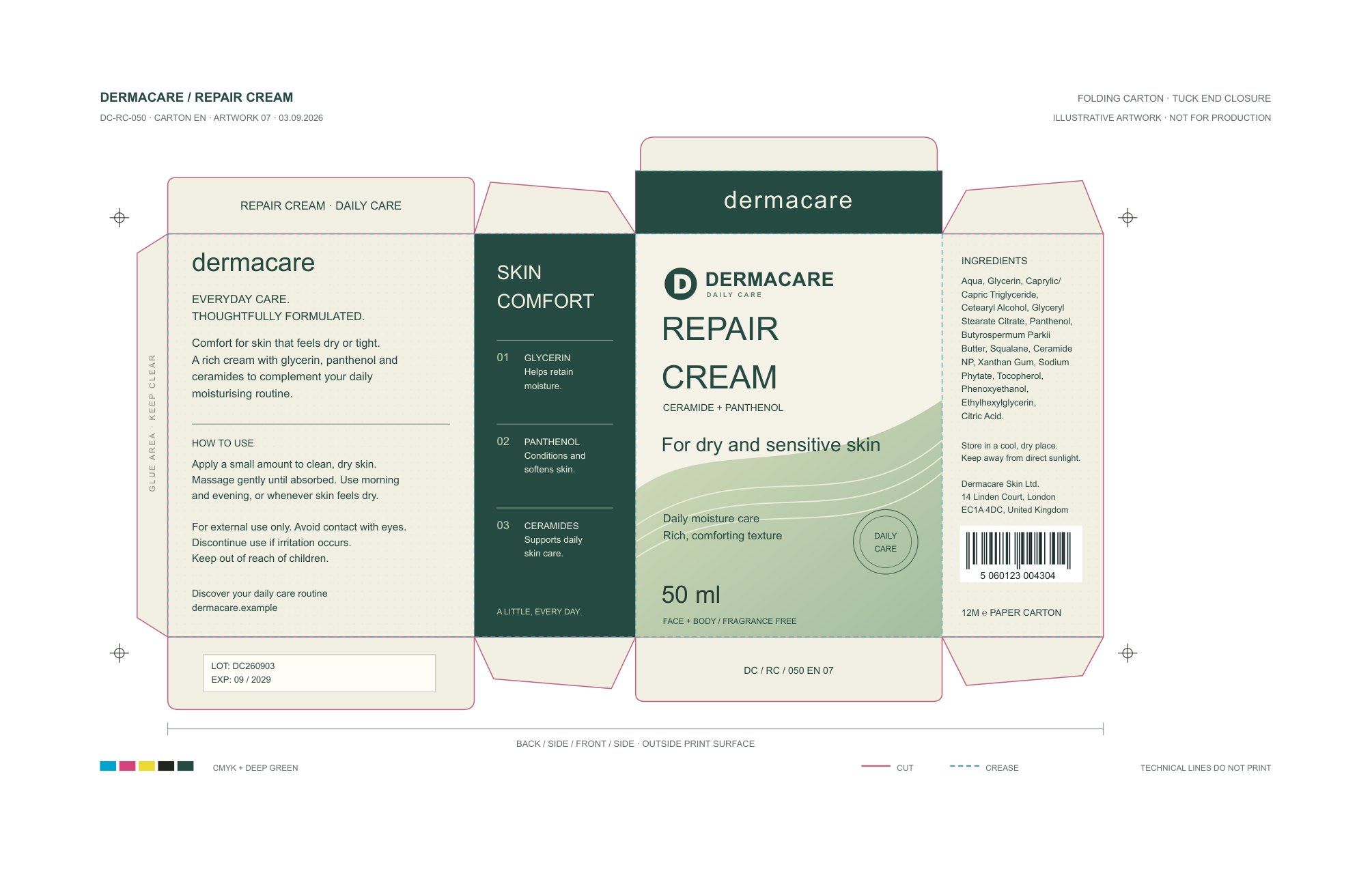
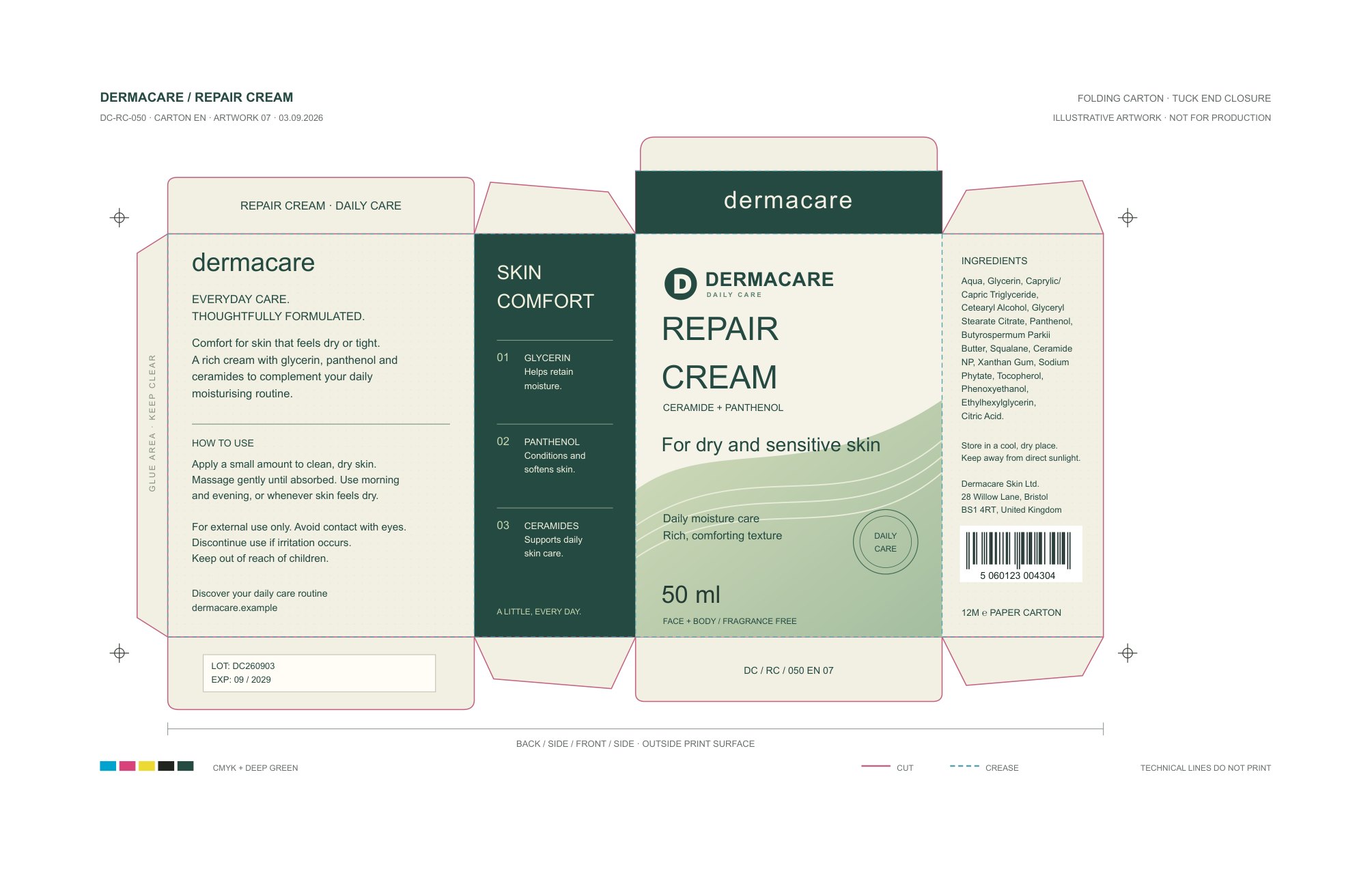
DifferencesRed pixels: differences outside approved edit areas · Dashed outlines: approved edit areas
No pixels changed outside the approved edit areas.
The comparison uses 150 DPI; any changed colour value counts. Red pixels show differences outside the approved edit areas on a faded updated page. Dashed outlines mark the approved edit areas. Differences inside those areas are not highlighted.
Reason: Declared text operation and candidate occurrence agree
Page 1 · Confirmed: Declared text operation and candidate occurrence agree
Text replacement intent: Declared text operation and candidate occurrence agree
Checks
Can't be checked
–
SeparationsCan't be checked
SeparationsDo the named separations and where they are used match the original?
–
Spot colorsCan't be checked
Spot colorsDo the spot colors and where they are used match the original?
Unchanged
✓
New textConfirmed
New textDoes the selected text now match what you asked for?Change 1 · Page 1Requested text: “28 Willow Lane, Bristol”Page 1: ConfirmedThe original text was not kept, so it cannot be shown here.Text found: “28 Willow Lane, Bristol”Declared text operation and candidate occurrence agreeChange 2 · Page 1Requested text: “BS1 4RT, United Kingdom”Page 1: ConfirmedThe original text was not kept, so it cannot be shown here.Text found: “BS1 4RT, United Kingdom”Declared text operation and candidate occurrence agree · Page 1: Declared text operation and candidate occurrence agree · Page 1: Declared text operation and candidate occurrence agree
✓
Other textUnchanged
Other textIs all text outside the requested changes still there? · Page 1: Text outside the edits is unchanged.
✓
Other text positionsUnchanged
Other text positionsDid lines and text positions outside the requested changes stay in place? · Page 1: Text position outside the edits is unchanged.
✓
Page size and numberUnchanged
Page size and numberDo page count, rotation, and page boxes match the original PDF?
✓
Unexpected visual changesUnchanged
Unexpected visual changesAre visible differences limited to the areas marked for the changes?
✓
Print color profileUnchanged
Print color profileDoes the print color profile match the original?
✓
FontsUnchanged
FontsDo the fonts, their embedding, and their encoding match the original? · Page 1: Every compared object keeps its fonts.
✓
ImagesUnchanged
ImagesDoes each placed image match the original in content, position, and size?
✓
OverprintUnchanged
OverprintDo the overprint settings match the original? · Page 1: Every compared object keeps its overprint.
✓
TransparencyUnchanged
TransparencyDo transparency, masks, and blend settings match the original? · Page 1: Every compared object keeps its transparency.
✓
Processing stepsUnchanged
Processing stepsDo the processing steps match the original? · Page 1: Production-layer definitions, membership, visibility and paint settings match; geometry is within tolerance.
✓
Other images and shapesUnchanged
Other images and shapesDid images and shapes inside the changed areas stay the same? · Page 1: Objects in the approved change areas are unchanged.
Doesn't apply
–
Inserted textDoesn't apply
Inserted textWas the requested text inserted immediately after the selected text?You did not request a change of this kind.
–
Removed textDoesn't apply
Removed textIs the selected text gone from the changed PDF?You did not request a change of this kind.
–
Text colorDoesn't apply
Text colorDoes the selected text have the requested color?You did not request a change of this kind.
–
Font sizeDoesn't apply
Font sizeIs the selected text the requested size?You did not request a change of this kind.
–
Character spacingDoesn't apply
Character spacingDoes the selected text have the requested character spacing?You did not request a change of this kind.
–
Word spacingDoesn't apply
Word spacingDoes the selected text have the requested word spacing?You did not request a change of this kind.
–
FontDoesn't apply
FontDoes the selected text use the requested font?You did not request a change of this kind.
–
Horizontal positionDoesn't apply
Horizontal positionIs the selected text at the requested horizontal position?You did not request a change of this kind.
–
Vertical positionDoesn't apply
Vertical positionIs the selected text at the requested vertical position?You did not request a change of this kind.
–
Replaced imageDoesn't apply
Replaced imageDoes the selected image show the requested replacement?You did not request a change of this kind.
–
Image positionDoesn't apply
Image positionIs the selected image at the requested position?You did not request a change of this kind.
–
Image sizeDoesn't apply
Image sizeDoes the selected image have the requested scale?You did not request a change of this kind.
–
Image rotationDoesn't apply
Image rotationIs the selected image rotated as requested?You did not request a change of this kind.
–
Added imageDoesn't apply
Added imageWas the requested image added at the requested place?You did not request a change of this kind.
–
Removed imageDoesn't apply
Removed imageIs the selected image gone from the changed PDF?You did not request a change of this kind.
–
Path positionDoesn't apply
Path positionIs the selected vector path at the requested position?You did not request a change of this kind.
–
Path fill colorDoesn't apply
Path fill colorDoes the selected vector path have the requested fill color?You did not request a change of this kind.
–
Path stroke colorDoesn't apply
Path stroke colorDoes the selected vector path have the requested stroke color?You did not request a change of this kind.
–
Path fill opacityDoesn't apply
Path fill opacityDoes the selected vector path have the requested fill opacity?You did not request a change of this kind.
–
Path stroke opacityDoesn't apply
Path stroke opacityDoes the selected vector path have the requested stroke opacity?You did not request a change of this kind.
–
Path stroke widthDoesn't apply
Path stroke widthDoes the selected vector path have the requested stroke width?You did not request a change of this kind.
–
Path line joinDoesn't apply
Path line joinDoes the selected vector path use the requested line join?You did not request a change of this kind.
–
Path miter limitDoesn't apply
Path miter limitDoes the selected vector path use the requested miter limit?You did not request a change of this kind.
–
Path line capDoesn't apply
Path line capDoes the selected vector path use the requested line cap?You did not request a change of this kind.
–
Path dash patternDoesn't apply
Path dash patternDoes the selected vector path use the requested dash pattern and phase?You did not request a change of this kind.
–
Image opacityDoesn't apply
Image opacityDoes the selected image have the requested opacity?You did not request a change of this kind.
–
Image blend modeDoesn't apply
Image blend modeDoes the selected image use the requested blend mode?You did not request a change of this kind.
–
Image ICC profileDoesn't apply
Image ICC profileDoes the selected image have the requested ICC profile?You did not request a change of this kind.
–
Image clippingDoesn't apply
Image clippingDoes the selected image have the requested clipping?You did not request a change of this kind.
Can't be checked
–
PDF/X conformanceCan't be checked
PDF/X conformanceDoes the file meet the specified PDF/X standard?The checker does not support this check yet.
What was checked
–Separations · Can't be checkedDocument · The page uses color gradients (shading patterns), which the check cannot read yet.
–Spot colors · Can't be checkedDocument · The page uses color gradients (shading patterns), which the check cannot read yet.
What you asked for, what you decided on every suggested change, and the questions asked along the way.
Requested changes
Instruction file: Dermacare_Address_Change.docx
Dermacare Carton Address Change
Change reference: DC-ADDR-2026-09     Product: Dermacare Repair Cream
Update the company address on the Dermacare Repair Cream carton as specified below. Apply only this change to the existing artwork.
Address to replace
Dermacare Skin Ltd.
14 Linden Court, London
EC1A 4DC, United Kingdom
Approved address
Dermacare Skin Ltd.
28 Willow Lane, Bristol
BS1 4RT, United Kingdom
Production requirements
Place the approved address in the existing side-panel text frame and keep the line breaks shown. Preserve the company name, font, font size, line spacing, frame position, all other copy and artwork, including logos, net contents, barcode, dieline, and printed artwork version labels.
Return clean and marked proofs.
“EC1A 4DC, United Kingdom” → “BS1 4RT, United Kingdom”
Current: EC1A 4DC, United Kingdom
Proposed: BS1 4RT, United Kingdom
Checksums of the files in this archive
A checksum shows whether a file was changed after the report was made. Compare these SHA-256 checksums with the original document, changed document, and report.json in the archive.